CYBERPOWER RMCARD100 Remote Management Card Rmcard 0649532819195
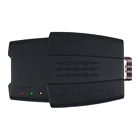
( Brand: Cyberpower ), ( Manufacturer Part Number: RMCARD100 ), ( Part Type: Remote Card ), ( UPC: 0649532819195 )
Review CYBERPOWER Remote Management Card Rmcard 100
The CyberPower RMCARD RMCARD100 is a versatile and powerful Remote Management Card designed to enhance the management capabilities of your CyberPower UPS (Uninterruptible Power Supply) system. This compact yet robust device allows you to monitor and control your UPS remotely, ensuring optimal performance and protection of your connected devices.
The RMCARD100 supports a wide range of CyberPower UPS models, enabling you to manage multiple UPS units from a single interface. It provides real-time UPS status updates, including battery level, load, temperature, and power outage alerts. This constant monitoring enables you to proactively maintain your UPS and prevent potential power failures.
One of the standout features of the RMCARD100 is its remote control capabilities. You can turn your UPS on or off, initiate a battery test, or set up various UPS functions from anywhere, as long as you have an internet connection. This feature is particularly useful for remote or off-site installations where on-site maintenance may not be possible.
The RMCARD100 also supports SNMP (Simple Network Management Protocol) and email notifications, allowing you to integrate it with network management software or configure email alerts for critical UPS events. This enhances the overall management and monitoring of your IT infrastructure, improving reliability and efficiency.
Installation of the RMCARD100 is straightforward, with clear instructions provided in the user manual. It simply slots into the UPS and connects to your network, requiring no additional hardware or software. Once installed, the RMCARD100 is easily configured using the CyberPower PowerPanel Business software, which is available for free download from the CyberPower website.
In conclusion, the CyberPower RMCARD RMCARD100 is an essential tool for any business or home user looking to enhance the management and reliability of their UPS system. Its versatility, ease of use, and robust features make it an excellent investment for maintaining the safety and availability of your connected devices.
Pros of buying CyberPower RMCARD RMcard100:1. Remote Management: This card allows you to manage your CyberPower PC remotely, which means you can monitor and control your system from anywhere in the world.
2. Easy Installation: It is easy to install and does not require any specific technical knowledge.
3. Compatibility: The RMCARD is compatible with various operating systems such as Windows, Linux, and Mac OS.
4. Energy Saving: It helps in saving energy by powering off the system when not in use.
5. Cost-Effective: It is a cost-effective solution for remote management of your computer system.
Cons of buying CyberPower RMCARD RMcard100:1. Limited Range: The remote management function may not work if the device is too far away from the RMCARD.
2. Dependence on Internet: The remote management feature requires an active internet connection, which may not be always available.
3. Security Concerns: There are potential security risks associated with remote management, such as unauthorized access to your system.
4. Limited Functionality: Compared to dedicated remote management software, the RMCARD may have limited functionality.
Conclusion:The CyberPower RMCARD RMcard100 is a useful tool for remote management of your computer system. It is easy to install, cost-effective, and compatible with various operating systems. However, it has some limitations such as limited range and dependence on an internet connection. Additionally, there are potential security risks associated with remote management. Therefore, it is important to take necessary precautions to protect your system from unauthorized access. Overall, if you need remote management functionality and are comfortable with the limitations, the RMCARD is a good option.
Recommendation:If you are looking for a remote management solution for your CyberPower PC, the RMCARD RMcard100 is a good choice. However, it is recommended to consider other options such as dedicated remote management software or services that offer more advanced features and better security. Ultimately, the best option for you depends on your specific needs and budget.
Details:
Event log in software traces history of the ups operational.
By utilizing the auto-shutdown software, servers and workstations stay protected from data loss due to power failure. Security management also utilizing the auto-shutdown software, servers and workstations stay protected from data loss due to power failure.
Security management also provided.
part #: rmcard100 price
- $120.00
specifications powercablego:
- brand: Cyberpower
- mpn: Rmcard100
- part type: Remote Card
- upc: 0649532819195
Ratings:
- 2nd time purchase! GREAT PRICE! Fast shipping! 05-22-17
- AAA PLUS 05-21-17
- Thanks so much, excellent seller! 05-21-17
- Great transaction!! Item as described! 05-21-17
- Perfect! Fast ship!! Exactly what I wanted!!! Thank you!!! 05-21-17
Shipping powercablego:
- handling: 1 days
- type: Flat
- cost: $0.0
General powercablego:
- consumer electronics > multipurpose batteries power consumer electronics > power cablesconnectors electronics
- in stock: Yes
- condition: New
Offer powercablego:
- quantity: 6
- bids: 0
- Sold: 0
- Started: May 22, 2017, 11:55 am
- best offer: false
Returns powercablego:
- paid by: Buyer
- time: 30 Days
- type: Money back or exchange buyers choice
- policy: returns accepted
Seller powercablego:
- zipcode: 10022
- city: New York, New York
Payments powercablego:
- PayPal
Cyberpower RMCARD100 Is Similar To:
- Relayio600 Cyberpower Ol Series Management 0649532615667 (69% similar) Input contact closure allows the ups to be shutdown remotely while on battery mode preserver power in event of a prolonged outage. The Cyberpower RELAYIO600 is a local management solution that provides users ability to monitor ups status and events via 5 contact closure outputs. Easy to install in ...(July 19th, 2017)
- Rmcard305 Cyberpower Ol Series Remote 0649532619474 (64.8% similar) By utilizing the power panel business edition client auto-shutdown software, servers and workstations stay protected from data loss due to power failure. User log in accounts can be secured through either: radius, lap, laps, or windows active directory authentication protocols. Event logging tracks ...(May 22nd, 2017)